关于条款隐私政策联系
 
正在更新
FineReader Pro: PDF Scanner

FineReader Pro: PDF Scanner

发布日期:2015-01-08
© 2024, ABBYY Development Inc.
FineReader Pro: PDF Scanner - QR码
版本 16.0.2
4+
App Store 下载
版本 16.0.2
4+
App Store 下载
发布日期:2015-01-08
© 2024, ABBYY Development Inc.

iPhone 屏幕截图

截屏
截屏
截屏
截屏
截屏
截屏
截屏

iPad 屏幕截图

截屏
截屏
截屏
截屏
截屏
截屏
截屏
截屏

简介

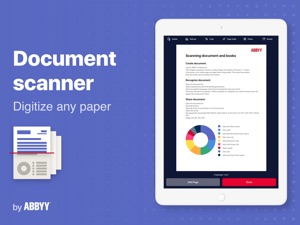
ABBYY FineReader PDF Pro - the first smart AI-powered scanner that turns your mobile device into an all-purpose tool to quickly capture docs and books, create electronic copies in PDF and JPEG, and extract texts from scans for further editing and sharing.
FineReader PDF Pro - the top mobile scanner for iPhone or iPad from ABBYY, a Digital Intelligence company.
*** Ranked #1 Business application in 98 countries ***
*** Winner of SUPERSTAR Award in the "Document Capture" category in the Mobile Star Awards ***
Use FineReader PDF Pro to scan paper documents, books, agreements, receipts, magazine articles, notes, recipes, charts, tables, slides, whiteboards, or even billboards on the street and get perfect digital copies.
KEY FEATURES
• PDF & JPEG. Scan any text and save scans to JPEG images or cross-platform PDF documents.
• OFFLINE OCR. Quickly extract text from scans into TXT format on your device without an internet connection.
• ONLINE OCR. Recognize text (OCR) on scans in 183 languages (including Latin, Cyrillic, Chinese, Japanese, and Korean alphabets) and choose from among 4 output formats.
• SHARE & EXPORT. Send results by email, to FineReader PDF for Windows, save in cloud storages - iCloud Drive, Dropbox, Google Drive, Yandex.Disk, Evernote, OneDrive for Business, and more.
• LIVE TEXT. Make phone calls, send emails, follow the links, and more from scanned docs.
• ABBYY NEURAL NETWORK. The smart gallery will automatically classify documents into 7 types: A4, books, business cards, handwritten, IDs, other docs, and receipts.
• SEARCH TEXT ON PHOTOS. Type the text from a photo into a Search field in the gallery. FineReader PDF Pro will find photos that have this text.
• AR RULER. Define doc size in AR. It will be useful for non-standard documents and further printing them out in proper proportions.
• SIRI SHORTCUTS. Open scans with Siri and set the flow of actions with scans using Shortcuts app.
• ANNOTATE SCANS. Discover a set of easy-to-use tools to modify your PDFs: add your signature or a text box, use a highlighter, write with a pen, or conceal content with the redaction tool.
• 3D TOUCH & SPOTLIGHT SEARCH SUPPORT.
• PASSWORD ON PDF. Add a password for the image-only PDF files while exporting and sending via email.
• MULTIPAGE DOCS. Create, edit, and enhance separate images or large multi-page documents without any additional selection on the viewfinder.
• AUTO-CAPTURE AND FILTERS. Excellent visual quality with auto-capture of page boundaries and advanced image filters, which process scans in color, greyscale, or black-and-white versions.
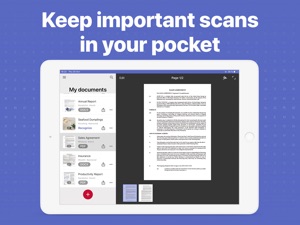
• BUILT-IN FILE STORAGE. Save scans inside the app with tags and search capabilities.
• Transfer docs to your Mac or PC using Home Sharing.
• AIRPRINT. Print out scans directly from your iPhone or iPad.
Read us:
abbyy.com/blog/mobile
Facebook.com/ABBYYsoft
Twitter @ABBYY_Software
YouTube.com/ABBYYvideos
Do you like FineReader PDF Pro? Please leave a review!

版本 16.0.2 中的新功能

Fixed an issue with our image picker that prevented users from choosing photos that were not in an album

卖方

名称

ABBYY USA Software House Inc

信息

类别

版本

16.0.2

大小

132.4 MB

Game Center

VPP Device Licensing

评分

评级:4+

兼容性

iOS 15.0 或更高

设备

iPhone 5s, iPhone 6, iPhone 6 Plus, iPhone 6s, iPhone 6s Plus, iPhone SE, iPhone 7, iPhone 7 Plus, iPhone 8, iPhone 8 Plus, iPhone X, iPhone XR, iPhone XS, iPhone XS Max, iPhone 11, iPhone 11 Pro, iPhone 11 Pro Max, iPhone SE(第 2 代), iPhone 12, iPhone 12 Pro, iPhone 12 Pro Max, iPhone 12 mini, iPhone 13, iPhone 13 Pro, iPhone 13 Pro Max, iPhone 13 mini, iPhone SE(第 3 代), iPhone 14, iPhone 14 Plus, iPhone 14 Pro, iPhone 14 Pro Max, iPhone 15, iPhone 15 Plus, iPhone 15 Pro, iPhone 15 Pro Max, iPhone 16, iPhone 16 Plus, iPhone 16 Pro, iPhone 16 Pro Max, iPhone 16e, iPhone 17, iPhone 17 Pro, iPhone 17 Pro Max, iPhone Air, iPhone 17e, iPad(第 5 代)WLAN, iPad(第 5 代)WLAN + Cellular, iPad(第 6 代)WLAN, iPad(第 6 代)WLAN + Cellular, iPad Pro, iPad Pro (Cellular), iPad Pro(9.7 英寸), iPad Pro(9.7 英寸) (Cellular), iPad Pro(12.9 英寸,第 2 代), iPad Pro(12.9 英寸,第 2 代) WLAN + Cellular, iPad Pro(10.5 英寸), iPad Pro(10.5 英寸) WLAN + Cellular, iPad Pro(11 英寸), iPad Pro(11 英寸) WLAN + Cellular, iPad Pro(12.9 英寸,第 3 代), iPad Pro(12.9 英寸,第 3 代) Wi-Fi + Cellular, iPad Air, iPad Air (Cellular), iPad Air 2, iPad Air 2 (Cellular), iPad Air(第三代), iPad Air(第三代) WLAN + Cellular, iPad mini Retina, iPad mini Retina (Cellular), iPad mini 3, iPad mini 3 (Cellular), iPad mini 4, iPad mini 4 (Cellular), iPad mini(第 5 代), iPad mini(第 5 代)WLAN + Cellular, iPad(第 7 代)WLAN + Cellular, 11 英寸 iPad Pro(第 2 代), 11 英寸 iPad Pro(第 2 代) 无线局域网, 12.9 英寸 iPad Pro(第 4 代), 12.9 英寸 iPad Pro(第 4 代) 无线局域网, iPad Air(第 4 代)(Wi-Fi), iPad Air(第 4 代)(WLAN + Cellular), iPad(第 8 代)WLAN, iPad(第 8 代)WLAN + Cellular, 11 英寸 iPad Pro(第 3 代), 11 英寸 iPad Pro(第 3 代) 无线局域网, 12.9 英寸 iPad Pro(第 5 代), 12.9 英寸 iPad Pro(第 5 代) 无线局域网, iPad(第 9 代), iPad(第 9 代)WLAN + Cellular, iPad mini(第 6 代), iPad mini(第 6 代)WLAN + Cellular, iPad Air(第 5 代), iPad Air(第 5 代) Wi-Fi + Cellular, 11 英寸 iPad Pro(第 4 代), 11 英寸 iPad Pro(第 4 代) 无线局域网, 12.9 英寸 iPad Pro(第 6 代), 12.9 英寸 iPad Pro(第 6 代) 无线局域网, iPad(第 10 代), iPad(第 10 代) 无线局域网, 11 英寸 iPad Air (M2) 无线局域网机型, 13 英寸 iPad Air (M2) 无线局域网机型, 13 英寸 iPad Air (M2) 无线局域网 + 蜂窝网络机型, 11 英寸 iPad Pro (M4) 无线局域网机型, 11 英寸 iPad Pro (M4) 无线局域网 + 蜂窝网络机型, 13 英寸 iPad Pro (M4) 无线局域网机型, 13 英寸 iPad Pro (M4) 无线局域网 + 蜂窝网络机型, iPad mini (A17 Pro) 无线局域网机型, iPad mini (A17 Pro) 无线局域网 + 蜂窝网络机型, iPad (A16) 无线局域网机型, iPad (A16) 无线局域网 + 蜂窝网络机型, 11 英寸 iPad Air (M3) 无线局域网机型, 11 英寸 iPad Air (M3) 无线局域网 + 蜂窝网络机型, 13 英寸 iPad Air (M3) 无线局域网机型, 13 英寸 iPad Air (M3) 无线局域网 + 蜂窝网络机型, 11 英寸 iPad Pro (M5) 无线局域网机型, 11 英寸 iPad Pro (M5) 无线局域网 + 蜂窝网络机型, 13 英寸 iPad Pro (M5) 无线局域网机型, 13 英寸 iPad Pro (M5) 无线局域网 + 蜂窝网络机型, 11 英寸 iPad Air (M4) 无线局域网机型, 11 英寸 iPad Air (M4) 无线局域网 + 蜂窝网络机型, 13 英寸 iPad Air (M4) 无线局域网机型, 13 英寸 iPad Air (M4) 无线局域网 + 蜂窝网络机型, iPod touch(第六代), iPod touch(第 7 代)

语言

中文, 俄文, 德文, 意大利文, 日文, 法文, 英文, 葡萄牙文, 西班牙文, 韩文

App Store:用户评分

评分及评论

4.7/5 (236 份评分)

App Store:买家评论

2023-01-08

识别超级慢

识别超级慢
我呃呃777
版本 15.6.1
2022-03-24

啥时候可以支持iPad分屏呢

希望可以开放接口给marginnote,使用OCR pro
aksimonzbzbzzb
版本 15.2.10
2021-12-25

过滤功能中的滤镜太少,这方面与某些同类软件相比差距较大

过滤功能中的滤镜太少,甚至连褶皱消除滤镜以及阴影消除滤镜都没有,这方面与某些同类软件相比差距较大。请增加褶皱消除滤镜以及阴影消除滤镜等滤镜。
汉字的识别能力尚待提高,与白描对比了一下,识别汉字的正确率低于白描。
这个软件最大的优势在于, PDF文档转换为word等文档时大大强于某些其他同类软件。
这个软件另一优势在于对书的扫描,但可惜必须联网并有不超过100页的限制,如果这一功能能够离线使用,那就那就更完美了。
roct123
版本 15.2.7
2021-12-14

如何申请退款?

千万不要买这个,本来想着和扫描全能王之间选了这个,结果下下来中文识别很差劲,根本没办法很长正常使用,本来想着付费两小时内退款的,但是两次申请苹果政策都莫名其妙拒绝,根本说不通,然后打电话给客服处理了两三天都还不行,退不了款,如何能申请退款?
请你理智点
版本 15.2.7
2021-01-19

Dark mode is needed

Dark mode is needed promptly
Space空中
版本 8.0
2020-08-05

好用

好用
SUPKIN717
版本 7.8
2020-06-19

最好用的ocr软件

最喜欢它支持多种语言,真的很棒。准确率不是百分百,但也已经高于同类其他产品很多了。
Civic^_^Tesla
版本 7.7.11
2019-09-18

超级好用

非常好用准确率很高,唯一缺点就是每次识别都要上传.
CODEYY929
版本 7.1.1
2019-05-28

还是很好用的

感觉相比全能扫描王还是没那么好用,尤其是分享到微信这个常用的功能,需要点好多下。
Jujuhutugdefh
版本 6.9.10
2019-04-04

软件很强大。

很方便
toybear
版本 6.9.8
2019-02-24

I must return one

Hi,friends ,I not only have bought FineScancer pro ,but also FineScanner In app purchase;but they both are the same thing,so I want return one anther.
我也来评评
版本 6.9.7
2019-01-09

好不错,就是需要上传识别,文件大一些很慢

整体还行
xuplink
版本 6.9.6
2018-12-26

good software

it is so easy to use for scan
12324297
版本 6.9.6
2018-11-14

Still need to improve

Sometimes the Book Scan mode is too slow.
Mr.小律
版本 6.9.4
2018-11-04

中文使用不好

中文识别不好,非常有待提高,对于中国用户来讲,这个价钱太不值了。希望开放公司加快更新,毕竟中国市场巨大!!!
骨灰盒反对哈哈哈
版本 6.9.4
2018-10-07

好用

好用
一笑倾囊
版本 6.9.2
2018-08-06

good

very good
Roi Huang
版本 6.8.6
2018-06-27

大陆中文ocr无法使用

我是中国大陆用户,上传文件基本都超时,不知道是不是大陆网络的问题,也看了评论,确实是有这样的情况,我也是因为宣传精准的ocr才购买的软件,现在无法使用,具体截图也反馈邮件了,可以的话麻烦进行退款
看看什么问题
版本 6.8.4
2018-06-20

Ocr识别阿拉伯错误太多

冲着OCR可以识别阿拉伯语买了这个应用,结果纯粹不能识别带有音符的阿拉伯字体,即使是不带音符的阿拉伯语字体,识别也有很多错误,希望改进。
wahxy
版本 6.8.4
2018-05-28

买了ultimate bundle。不能下载另两个app

买了ultimate bundle。只能下载finereader。不能下载textgrabber6和business card reader pro
不能停止折腾
版本 6.8.2
2018-05-24

页面识别有限制

页面识别有限制
753484649466
版本 6.8.2
2018-05-08

BUG

When the lights are dim, the scan results are blue.
真不错的应用
版本 6.8.2
2018-05-02

OCR识别后文档页面大小异常

使用OCR识别后,doc或docx页面大小是B6,而不是A4。在文档属性中页面大小为A4,很影响使用!请尽快修复!
空中幽灵
版本 6.8.2
2018-04-22

非常方便

abbyy忠粉,用了旗下产品十多年了
朵琪格格
版本 6.8.1
2018-04-05

中国大陆网络无法用啊

Ocr用不了,难道需要翻墙?坑啊,
longxiao327
版本 6.8
2018-04-04

一直在用

这app是我离不开iOS的理由。
power 凯
版本 6.8
2018-04-04

贵了就是好,还有居然跳转让撰写评论,这个就贱了,软件就是拿来用了,不是评的
klafy
版本 6.8
2018-02-22

ocr

ocr识别不可以用一直显示上传
hhgryxga
版本 6.7.7
2018-02-05

挺好用的,不错

好用,识别精准
忆雨清新
版本 6.7.6
2018-01-03

风格

识别很准确。
李现辉
版本 6.7.5
2017-12-12

装备控

我就是一个装备控,买了全套花了几百块到现在都没有用!哈哈哈哎
Froyo Alex
版本 6.7.5
2017-11-20

效果出众

用了好几年了,效果确实很出众!
能干的女秘书
版本 6.7.5
2017-11-06

云处理赞

清晰,云处理赞。扫描识别效果好!赞👍🌹
djfpaaa
版本 6.5
2017-09-29

误点个套装,瞬间扣了我388,还不让退款。坑!!

误点个套装,瞬间扣了我388,还不让退款。坑!!
第一次评论送吡乞夷
版本 6.6.2
2017-09-28

Good..............

Good tools
2006LEO
版本 6.6.2
2017-09-20

很好软件

功能齐全,方便快捷
qjfw0rld
版本 6.6
2017-09-18

OCR功能并不能使用

我是中国大陆用户,OCR功能无法使用,永远都是连接超时。最初的购买原因就是被宣传中所描述的中文OCR识别精准所吸引,然而无法使用最需要的功能着实让我苦恼。如果是IP被ban的原因导致功能丧失,还希望贵司能在宣传中加以说明。希望能够退款。
购买请谨慎
版本 6.6
2017-09-12

很好很强大

很好很强啊
大网猫
版本 6.5
2017-09-01

很不错

很不错
乐艾
版本 6.5
2017-08-30

完美

识别超级准确666666
Sillyuncle
版本 6.4
2017-08-30

OCR功能必须要联网才能使用

OCR功能必须要联网才能使用,把一张张扫描文件传到它们的服务器上再识别,而国内连他们的服务器简直龟速,一页两页还能忍受,页数稍多,那个上传时间够你吃几顿饭的了。
DeanCaffery
版本 6.4
2017-06-27

垃圾

我要退款!!!
刘君波
版本 6.2.5
2017-05-16

太差了,退钱

试了几天,转换能力真的远没有号称那么强大,每个文档都需要上传服务器转换,只能100页以下的PDF,而且常常转着就没招了。到现在我只转成了一篇文章。这么贵的价格,我现在只想退钱!
atinatinatina
版本 6.2.5
2017-05-11

Slooooow recognition & poor cropping. Still a good software

The concept of online recognition is pretty impressive regarding the current slow processing speed. Autocapture and cropping is not as good as scannable.
不同政见者
版本 6.2
2017-04-25

扫书模式需要联网上传,速度太太慢

其他方面也毫无优势
asdfghjklbhuo
版本 6.1
2017-02-08

很好用的APP

记录杂志,文章非常方便!
虎符king
版本 6.1
2017-01-27

专业公司的专业软件

ABBYY的OCR质量不用多说,物有所值。
Penny Song
版本 6.0.5
2017-01-18

利用率很高的一款商务软件

1、纸质资料可以很方便地转为PDF文件,如不考虑资料的平整性,比扫描仪还方便。2、这个版本下打开相机显示为黑屏!但实际上仍可自动拍照。
happy70090
版本 6.0.5
2017-01-11

完美

非常完美!值得推荐
Argus_ACK
版本 6.0.5
2017-01-08

很好的一款软件

用来扫描很适合
Iron_mountain
版本 6.0
2017-01-03

不错的软件!

不错的软件,书籍扫描如能本地处理就更好了
River881
版本 6.0
2016-12-24

功能很强

很好用,识别很准确
WallaceZ
版本 6.0
2016-12-22

还不错

我主要用ocr功能,通过云端识别不算快但是能接受,cor过程需要网络。
cooperfinger
版本 5.7.1
2016-11-14

效果很好

秒杀国内的软件
大亨丁丁
版本 5.7
2016-11-02

不错扫描软件!

一直用ABBYY家的产品!桌面到移动都很赞!
阿维
版本 5.7
2016-10-07

很强大

没想到能直接在识别后转word后编辑,太牛了
大大大大大大大达
版本 5.6.8
2016-09-22

优势明显,价格亮眼

好软件,就是有点贵,内购也是醉。
123855gkmd个拉链
版本 5.6.6
2016-08-19

还不错~

对自己还是很有用的
猪香的
版本 5.5.1
2016-06-23

扫描软件中的乔丹

第一次主动写软件的评价,这款软件扫描的质量非常不错,清晰准确。软件整体非常的好!要说缺点,那就是OCR识别对中文的识别还有欠缺,而且识别的速度有点小慢。综合来看,办公神器。
Naive Naive Naive
版本 5.4
2016-03-02

对书的识别更加人性化

总体不错
邴Bing
版本 5.2
2015-12-17

操作简单,功能丰富

很好,文档模式编辑功能比较智能,书本模式虽然要联网,但是效果特别棒!
chshch_8a
版本 5.1
2015-03-31

目前用过最好的扫描仪➕OCR识别

用了非pro版,觉得一个月三十的高级账户有点贵,干脆买了个pro,也是30块,感觉和高级账户没区别,唯一不好的是OCR识别后不支持翻译,我索性又买了个Textgrabber
beethoven008
版本 4.2
2015-03-28

希望尽快改进

操作到最后一步,要把扫描的文件要保存时会闪退!
晴雨思
版本 4.2